
Communitheme on Ubuntu 18.04

Co Hein
Contributor
1 min read
Communitheme ဆိုတာက နောင်ထွက်မယ့် Ubuntu version တွေမှာ default theme အနေနဲ့ ပါလာနိုင်တဲ့ Theme တစ်ခုပေါ့။ Developer တွေအပြောအရတော့ ဒီ Ubuntu 18.04 BB မှာ default အနေနဲ့ ပါလာနိုင်ဖို့ ကြိုးစားထားပေမယ့် ready မဖြစ်သေးလို့ ပါမလာသေးတာပါတဲ့။ အဲ့ဒီတော့ နောင်ထွက်မယ့် version တွေမှာ Default အနေနဲ့ ပါမလာခင် ကျွန်တော်တို့ အရင်စမ်းသုံးကြည့်ရအောင်။
Install လုပ်နိုင်မယ့် နည်းက ၂ နည်းရှိတယ်။ PPA သုံးပြီး install လုပ်တာရယ်၊ Snap နဲ့ install လုပ်တာရယ်။
#Snap
$ sudo snap install communitheme
#PPA
$ sudo apt-add-repository ppa:communitheme/ppa
$ sudo apt update
$ sudo apt install ubuntu-communitheme-session
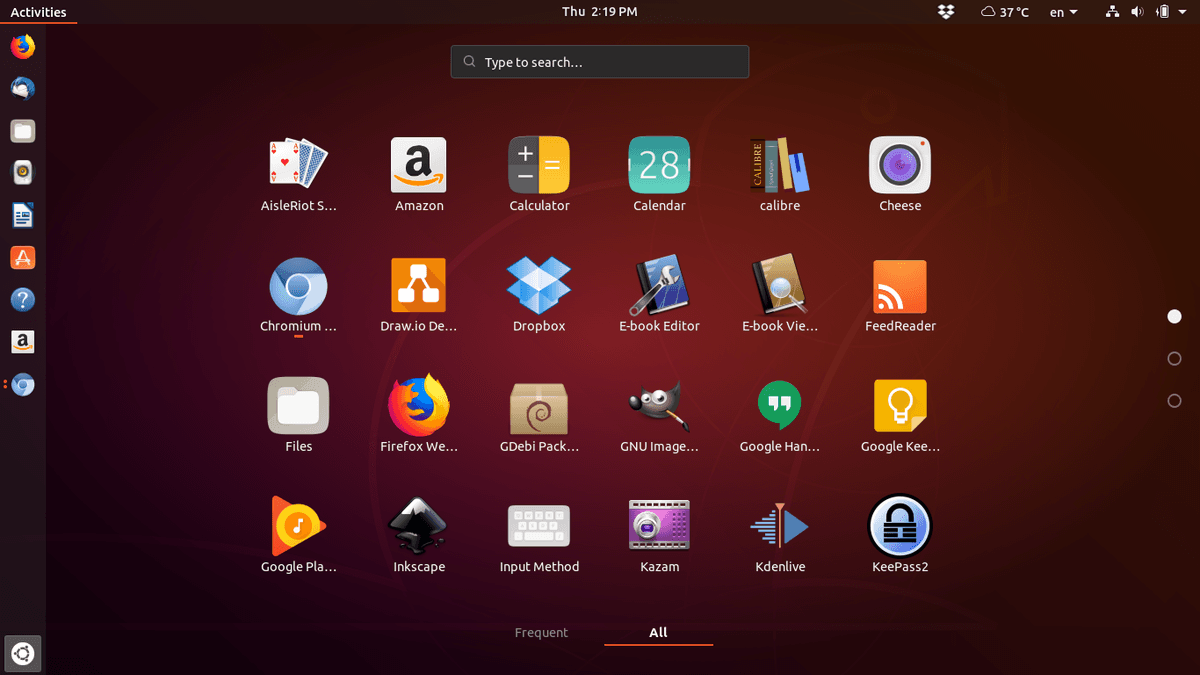
Developer တွေပြောတာကတော့ PPA က Ubuntu 18.04 BB အတွက်ပဲ ရပါမယ်တဲ့။ ဆိုလိုတာက အရင် 17.10 တို့ 16.04 တို့တွေမှာ PPA နဲ့ သွင်းလို့ရမှာမဟုတ်ပါဘူး။ သွင်းပြီးသွားရင် reboot ချပါ။ ပြန်တက်လာရင် ပုံထဲကအတိုင်းရွေးပါ။
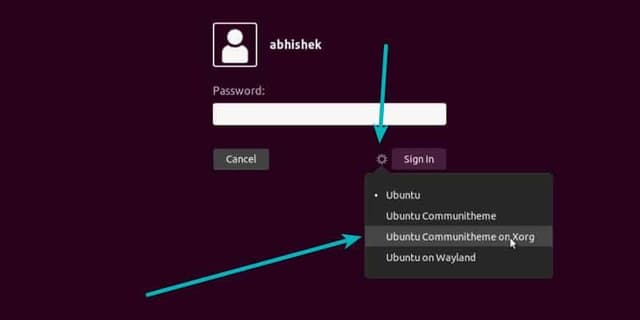
ကျတော့်စက်မှာတော့ snap နဲ့ install လုပ်ထားတော့ Ubuntu Communitheme Snap နဲ့ Ubuntu Communitheme Snap on Wayland ဆိုပြီး ပေါ်ပါတယ်။ Ubuntu Communitheme Snap ကို ရွေးပါတယ်။
Theme change ဖို့အတွက် Tweak Tool မရှိသေးရင် install အရင်လုပ်ပါ။
$ sudo apt install gnome-tweak-tool
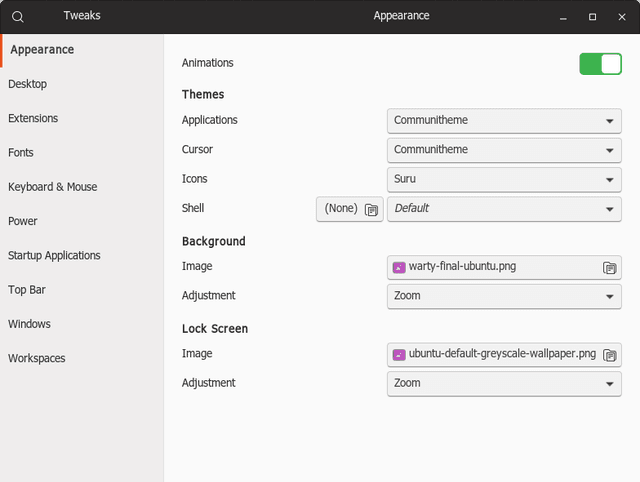
Icons မှာ Suru icon theme ရွေးပါ၊ Applications နဲ့ Cursor မှာ Communitheme ရွေးပါ။
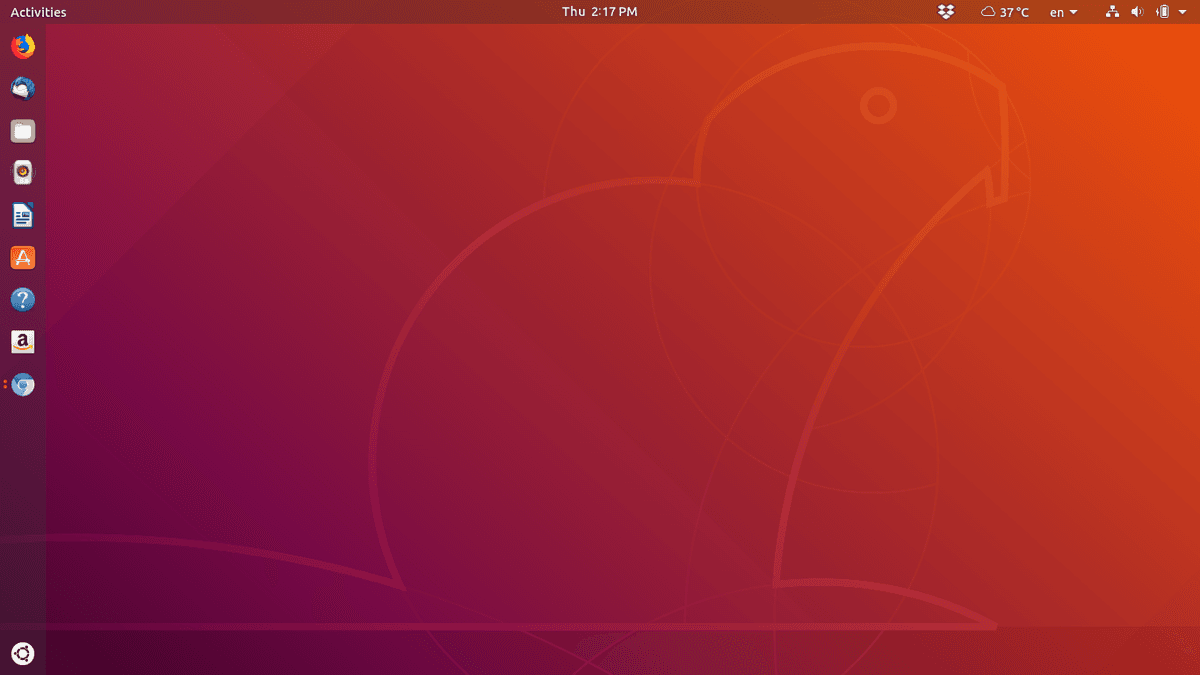
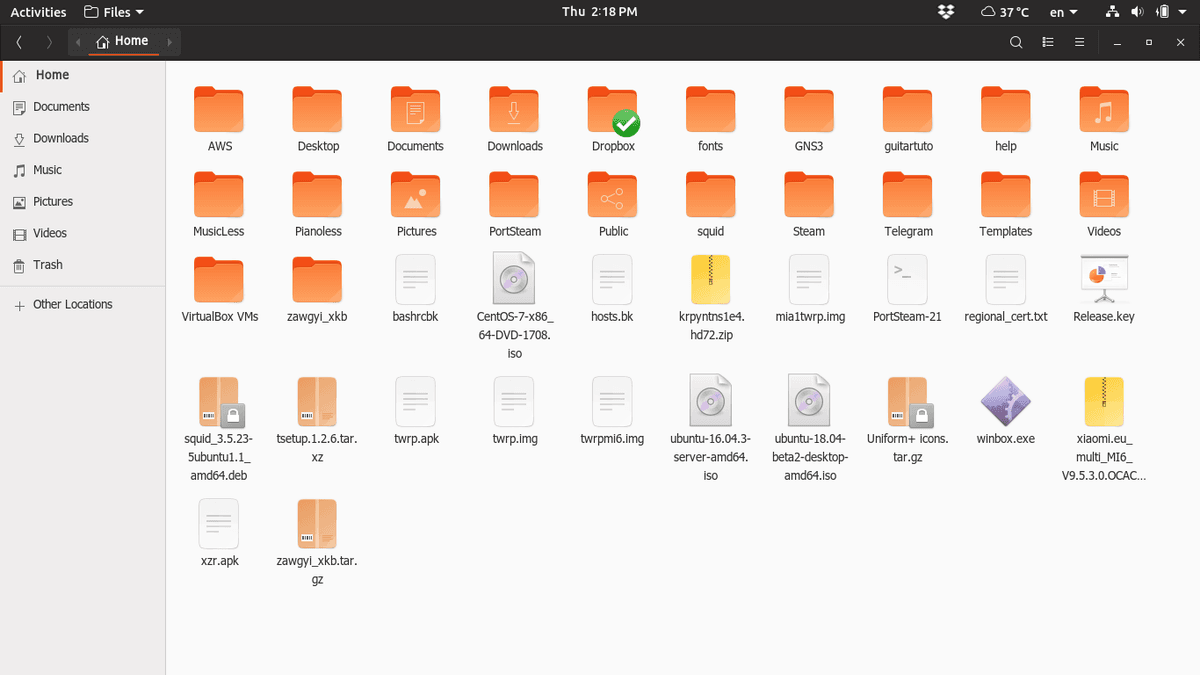
ဒါတွေကတော့ Communitheme ရဲ့ ပုံလေးတွေပါ။

Related posts

Customizing GTK themes and icons in Ubuntu
ဒီတစ်ခါကတော့ အပြောင်းအလဲလေးဖြစ်သွားအောင် Gnome UI ရဲ့ GTK theme နဲ့ icon တွေကို နည်းနည်းပြောင်းကြည့်ရအောင်။ Ubuntu မှာက အရင် Version 18.10 မှာကတည်းက Default ပါလာတဲ့ Yaru gtk theme…
 Co Hein
3 min read

Git multi account
Developer အတော်များများဟာ Email တခုနဲ့ ssh key ၂ ခု ၃ ခုလောက်ထပ် ပိုသုံးကြလေ့ မရှိပါဘူး။ Personal Development နဲ့ Contract Project တွေ Freelance Project တွေမှာ အကောင့်တခု အီးမေးလ်…
 Ko Ko Ye
4 min read
Packet tracer 7.2.2 installation on Ubuntu (libpng12.so.0 – solved)
ပထမဆုံး https://www.netacad.com/courses/packet tracer ကနေပြီးတော့ packet tracer course ကို enroll လုပ်ပြီး packet tracer ကိုဒေါင်းလုတ် လုပ်ပါ.. အဲ့ကနေ မ down တက်ရင်လဲ…
 Khant Phyo
2 min read