
Ubuntu 19.04 “Disco Dingo” Has Arrived

Wai Yan Win Htain
Contributor
3 min read
It’s the time to disco! ဟဟ… ubuntu 19.04 ကတော့ download စဆွဲလို့ရနေပြီဆိုပာတော့။ ကျနော် အရင်ကရေးခဲ့သလိုပဲ အသစ်ထွက်လာပြီဆိုတော့ feature အသစ်လေးတွေလည်းပါလာတော့မှာပေါ။ အခု post က 19.04 ရဲ့ feature အသစ်တွေကို သိသလောက်မိတ်ဆက်ပေးဖို့ဖြစ်ပါတယ်။
19.04 က LTS release မဟုတ်ပါဘူး။
အရင် 18.04 version ဟာ LTS release ဖြစ်ခဲ့တဲ့အလျောက် အခုထွက်မဲ့ 19.04 ကတော့ LTS မဟုတ်ပါဘူး။ ဒါတော့ သိပြီးသားဖြစ်မှာပါ။ ဒါပေမဲ့ january 2020 ထိတော့ support ပေးမယ်လိုတော့သိရပါတယ်။ အသစ်အသစ်တွေကိုမှ သုံးချင်တာဆိုရင်တော့ ခုပဲ download လုပ်ပြီး တင်သုံးဖို့အကြံပေးချင်ပါတယ်။

Nvidia GPU owner တွေအတွက်သတင်းကောင်း
Nvidia GPU တွေအတွက် support ပာလာပြီလို့လည်းပြောထားပါတယ်။ အရင်လို driver ကို manual သွားသွင်းစရာမလိုတော့ပဲ install third party software for graphics ကို အမှန်ခြစ်ပေးထားခဲ့ရုံနဲ့ ကိုယ့် driver နဲ့ compatible အဖြစ်ဆုံး driver ကို install လုပ်နေစဉ်အတွင်းမှာ automatic download and install လုပ်ပေးသွားမှာဖြစ်တယ်လို့ GITHUB မှာပြောထားပါတယ်။
Gnome 3.32
19.04 မှာ gnome 3.32 က default desktop environment အနေနဲ့ပါလာမှာပါ။ သူရဲ့ features တွေကိုတော့ ဒီမှာ သွားလေ့လာလို့ရပါတယ်။ ဒါပေမဲ့ သူ့ရဲ့ features တွေအကုန်တော့ ubuntu မှာရမှာမဟုတ်ပါဘူး။ ubuntu က pure gnome လည်းမဟုတ် customize ပြန်လုပ်ထားတဲ့အတွက်ကြောင့်ပါ။
Application permission control
အခုနောက်ပိုင်း android ဖုန်းတွေမှာပါလာတဲ့ app တစ်ခုချင်းစီအတွက် permission control တွေလိုပဲ gnome 3.32 မှာလည်း အဲ့ feature ပါလာပါတယ်။ ဘယ် app အတွက်တော့ ဘယ် resources တွေကို access လုပ်ခွင့်ပေးမယ်၊ မပေးဘူး ဆိုတာမျိုးတွေပာလာတာကိုတွေရမှာပါ။
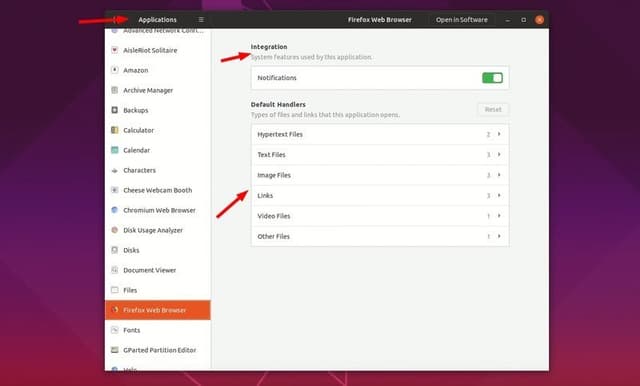
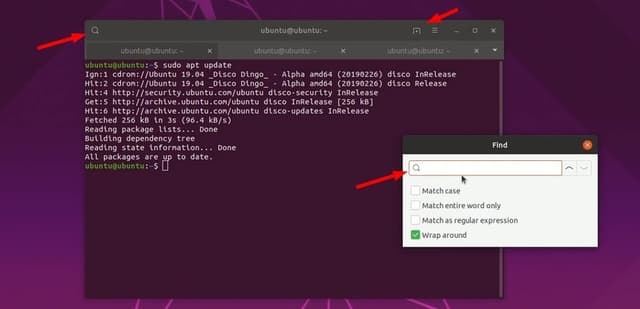
Terminal ရဲ့ minor improvement
19.04 က default terminal appearance မှာ minor changes အနည်းငယ်ရှိပါတယ်။ အဲ့ဒါကတော့ search button နဲ့ new tab button ဖြစ်ပါတယ်။
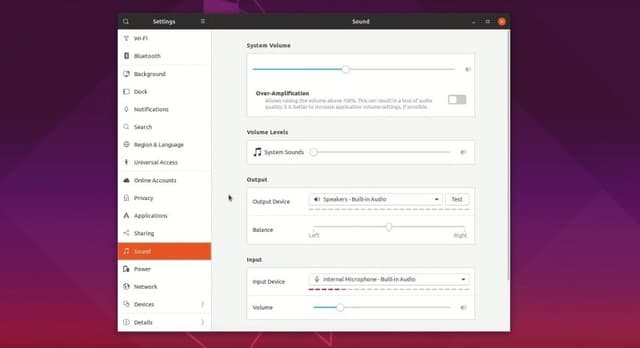
Audio Setting improvement
Audio setting ကို အရင်ကထက် နည်းနည်းပြင်ထားပါတာတွေ့ရမှာပါ။
Linux kernel 5.0
သူပြောနေကျအတိုင်းပဲ better performance နဲ့ good hardware support တွေပါလာမယ်ပေါ။ additional graphic cards တွေအတွက် အရမ်းတွေ support ထားတယ်ပြောထားပါတယ်။ အဲ့တော့ ဟုတ်မဟုတ်သိရမောင် RTX တွေ GTX တွေ ဝယ်စမ်းကြပါ။ ဒါကတော့ kernel 5.0 ရဲ့ major bug fix တွေပါ။
- AMD Radeon FreeSync support
- Support for a new VegaM
- NVIDIA Xavier display support
- Continued work on Intel Icelake Gen11 graphics
- Initial support for the NXP i.MX8 SoCs
- Support for the Allwinner T3, Qualcomm QCS404, and NXP Layerscape LX2160A
- Intel VT-d Scalable Mode support for Scalable I/O Virtualization
- New Intel Stratix 10 FPGA drivers
- Fixes for F2FS, EXT4 and XFS
- Btrfs file-system restores support for swap files
- Fscrypt Adiantum support for helping with fast data encryption on low-end hardware. This replaces the infamous Speck algorithm by NSA.
- Realtek R8169 driver improvements
- Logitech High Resolution Scrolling support
- Raspberry Pi Touchscreen driver
- x86 laptop drivers improvement
- Thunderbolt security enhancement
- Support for the Chameleon96 Intel FPGA board
- Improved power management
Mesa 19.0
AMD users တွေအတွက်လည်းသတင်းကောင်းပါပါသေးတယ်။ open source graphic library ဖြစ်တဲ့ mesa 19.0 ဟာလည်း ubuntu 19.04 မှာပါလာပါတယ်။
Safe graphic mode
Grub menu မှာ safe graphic mode ဆိုတဲ့ option တစ်ခုပိုလာပါတယ်။ သူက additional graphic card တွေမှာဖြစ်တတ်တဲ့ issues တွေ မဖြစ်အောင်နဲ့ အဲ့ graphic card အတွက်လိုအပ်တဲ့ driver ကို automatically install လုပ်ပေးသွားမှာပါ။
ဒါကတော့ It’s FOSS က feature အသစ်တွေစမ်းပြထားတဲ့ video လေးပါ။

Downloads Available for all flavors
Thanks for reading
References
Related posts
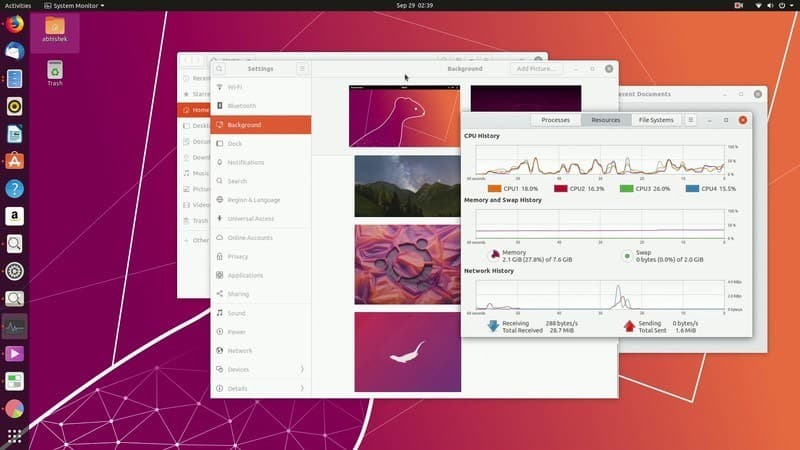
Ubuntu 19.10 (Eoan Ermine)
Ubuntu 19.10 Code Name – Eoan Ermine လို့ နာမည်ပေးထားတဲ့ Version အသစ်ဟာ ယခုလ ၁၇ ရက်နေ့ မှာ stable ထွက်လာတော့မှာဖြစ်ပါတယ် Beta Version ကို စမ်းသပ်ချင်ရင်တော့ ဒီမှာ ISO Download…
 Ko Ko Ye
1 min read
New features in Ubuntu 18.04
အသစ်ထွက်ရှိလာမဲ့ Ubuntu 18.04 မှာ ဘာ features အသစ်တွေပါဝင်လာမလဲ? April လထဲမှာ ubuntu ရဲ့ LTS version တစ်ခုဖြစ်တဲ့ Ubuntu 18.04 Bionic Beaver ဟာ ထွက်ရှိလာတော့မှာဖြစ်ပါတယ်။ Ubuntu…
 Wai Yan Win Htain
3 min read
GNOME 3.28 ရဲ့ အကောင်းဆုံး Feature အသစ်များ
GNOME 3.28 ဟာ update အကြီးစားတစ်ခုအနေနဲ့ ထွက်ရှိခဲ့တာတော့ မဟုတ်ပါဘူး။ ၂၀၁၇၊ စက်တင်ဘာ မှာထွက်ရှိခဲ့တဲ့ GNOME 3.26 ထက်စာရင်တော့ ရင်ခုန်စရာ အမြင်အပြောင်းအလဲတွေ…
Pixie3 min read