
How To Use Eastern Languages in Sublime Text Editor

Ubuntu Myanmar LoCo
Community team
1 min read
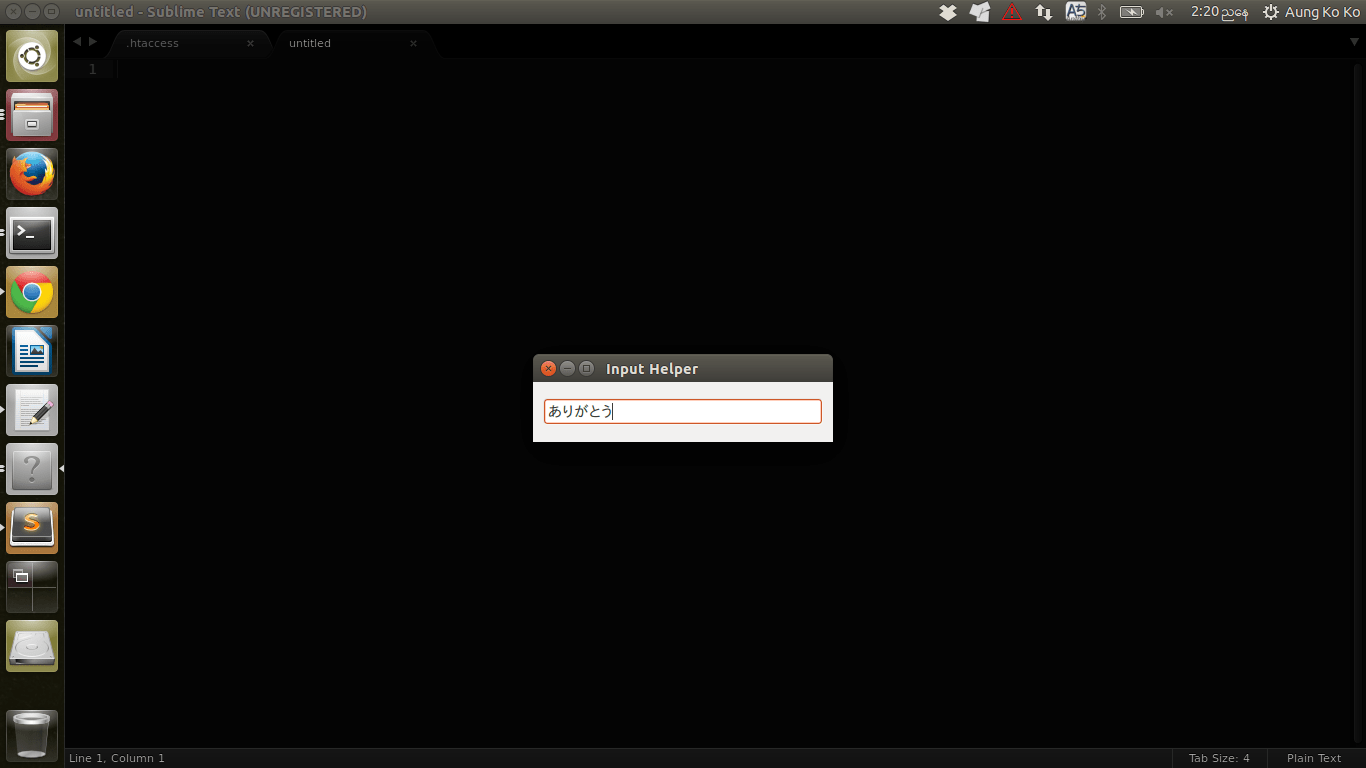
Sublime Text Editor အသုံးပြုသူတွအေနေနဲ့ Sublime Text Editor မှာ English မဟုတ်တဲ့
တခြားဘာသာစကားတွေရိုက်ချင်ရင် အောက်ပါအတိုင်းပြင်လို့ရပါတယ် ။
Terminal မှာတစ်ကြောင်းချင်းရိုက်ပါ။
cd .config/sublime-text-3/Packages/
git clone https://github.com/seanliang/ConvertToUTF8.git
ဒါဆိုရင် Sublime Text မှာအရှေ့တိုင်းဘာသာစကားတွေဖြစ်တဲ့ ဂျပန်။တရုတ်။ကိုရီးယား စာတွေဖတ်လို့ရပါပြီ။ ဒါပေမယ့် စာတော့ရိုက်လို့ရဦးမှာမဟုတ်သေးပါဘူး။
ဒါ့ကြောင့် အောက်ပါအတိုင်းထပ်လုပ်ဖို့လိုပါသေးတယ် ။
cd .config/sublime-text-3/Packages/
https://github.com/xgenvn/InputHelper.git
ဒါတွေလုပ်ပြီးသွားလို့ရှိရင် Sublime ကိုဖွင့်ထားတယ်ဆိုရင် ပိတ်ပြီးပြန်ဖွင့်လိုက်ပါ ။
English မဟုတ်တဲ့ တခြားစာတွရေိုက်ထည့်မယ်ဆိုရင် Ctrl+Shift+Z ကိုနှိပ်လိုက်ပါ ။
Prompt Box တစ်ခုပေါ်လာမှာဖြစ်ပြီး အဲ့ဒီကနတေဆင့် ကိုယ်ရိုက်ထည့်ချင်တဲ့စာကိုရိုက်ထည့်လို့ရပါပြီ။
Related posts

Installing Sublime text editor and Atom
Ubuntu user တွေအနေနဲ့ အထူးသဖြင့် Coding ရေးရတဲ့ သူတွေအတွက်အသုံးဝင်တာတဲ့ Text Editor တစ်ခုကတော့ Sublime Text Editor ပဲဖြစ်ပါတယ်။တခြား Editor တွေလည်းရှိပါသေးတယ် ကျွန်တော်က Sublime…
 Ubuntu Myanmar LoCo
2 min read

Installing Gitbucket with Oracle Glassfish
Github အသုံးပြုနေသူတွေ Online ပေါ်မတင်ဘဲကိုယ့်ရုံးတွင်း Local မှာ Github လို User Interface နဲ့ Git Server တစ်ခုထားချင်တယ်ဆိုတဲ့သူတွေအတွက် Gitbucket ကိုမိတ်ဆက်ပေးချင်ပါတယ် ။…
Ubuntu Myanmar LoCo3 min read

Git multi account
Developer အတော်များများဟာ Email တခုနဲ့ ssh key ၂ ခု ၃ ခုလောက်ထပ် ပိုသုံးကြလေ့ မရှိပါဘူး။ Personal Development နဲ့ Contract Project တွေ Freelance Project တွေမှာ အကောင့်တခု အီးမေးလ်…
 Ko Ko Ye
4 min read